Pianobook - Octave Cascades

My favourite type of sampled instrument for theatre work lately has turned towards textures of organic instruments. Specifically the likes of Evo Grid work from Spitfire Audio which allows evolving textures all sorts of orchestral instruments to combine and make beautiful or dissonant evolving textures, something that can be very quick and simple to build in the heat of tech rehearsals!
I wanted to find a way of achieving a similar thing with the piano, inspired through the likes of Olafur Arnalds and his latest album ‘Remember’, having seen his multi felt piano set up live and loving the quality it gave.
So I had a moment in Kristiansand a few months back to record a second piano, I recorded this upright as a bit of an experiment, sampled the piano and mezzo piano layers and then went on to record a varying set of octaves randomly played, not to time, for each note I’d already sampled. I’d also tried a few other experimental things like hitting the key hard to use as a note off sample, this of course was an awful idea, so I scrapped that and kept with the octave idea. This is the kind of thing I mean….
Then I followed the normal process of editing each note and noise reducing, for both sets of samples. And decided to go the Kontakt route to package the layers into a single instrument.
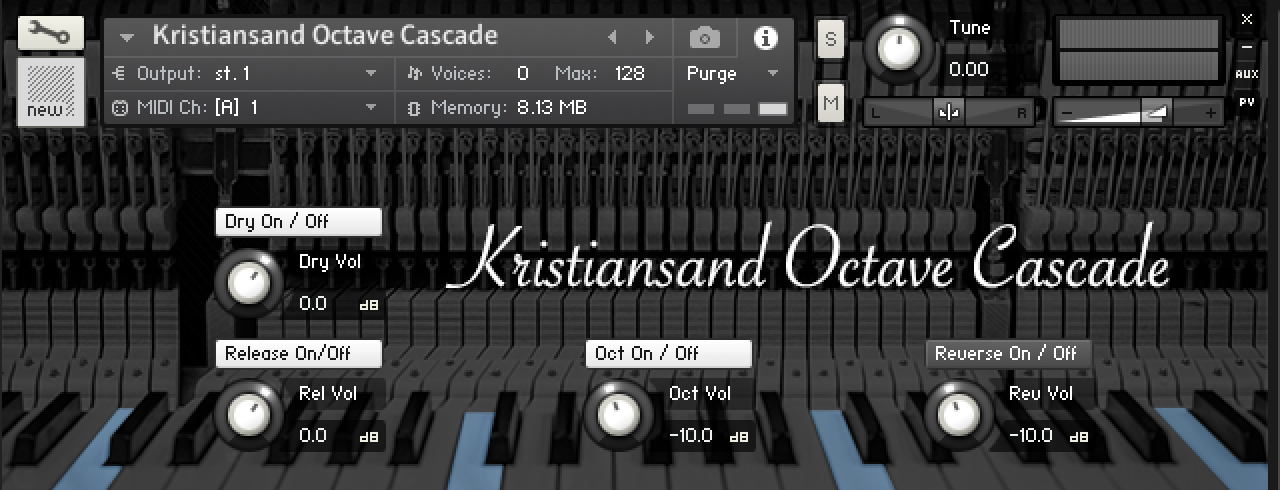
Here’s the final GUI which is fairly simple in terms of what it does. The aim is to give you the ability to mix the octaves with the original single notes and switch either layer on and off. I also added a reverse function into the mix, I always love a bit of reverse piano and have struggled to find ways to usefully program that into a playable instrument, in this case I think it works quite well on the higher notes because there’s less of a decay for you to wait for until you hear the initial reversed samples, less good in the low end unless you’re holding it for a while. I might update that with less time to wait at some point… hmmm. What I like though is that reverse setting is only a reverse of the octave note textures, so again gives it a bit of a random feel to the whole texture.
The Piano book community have been amazingly putting together some brilliant demo’s I find them so inspirational to hear what different composers do with the instrument, and here they are…
Heres the link to the Piano book web page where you can download the Kontakt Instrument for free, plus a whole bunch of other free piano instruments. https://www.pianobook.co.uk/library/kristiansand-octave-cascade
The next step is to develop the idea using other instruments, hopefully allowing them to create textures in the same way. I quickly recorded an electric guitar for a show in Amsterdam and sampled it in a similar way, recording the initial notes and octaves, so I want to see if creating a new instrument is as simple as slotting in the new samples in place of the piano to create a new ‘Octave Cascade’ instrument.
More to come soon.
Free Ghanaian Gyil Kontakt instrument - PMvst001
Since the last post about recording Stephen Hiscock's Gyil (Yes I was spelling it incorrectly! O dear) I took some time to edit and put the resulting hits into Kontakt. Here is a link to the Current Ghanaian Gyil V1.0,

Free Ghanaian Gyil download
--- --- ---
Specifications:
309 samples
5/6 velocity layers for each note
2x Round Robin for each note
3x patches
- Original pitch
- Tuned scale (CDFGBb)
- Chromatic scale pitched
2x Beater options- Rubber (Rubber malletts made from Tires)
- Sticks (The wooden side of the malletts)
Requirements:
210MB Hard Drive space
Full version of Native instruments Kontakt 5
--- --- ---
Feel free to download and play with it if you're looking for something authenically african and I'd love to hear any feedback.
I don't want to dive too deep into a 'How to create a velocity sensitive instrument in Kontakt' post, but there's few thoughts from the process I thought it'd be interesting to note.
My main DAW's are Ableton Live and Logic, but I decided to try using Ableton for this process. The first step was to record the Gyil into Ableton through my SD 702 and soundcard. I only had two Preamps available at the time, so used an XY setup about a metre away from the top of the Gyil. The first note, having a few different mic positions would probably help with integrating the sound of the Gyil with other libraries, but starting with a fairly dry, close recording is great starting point.
The Gyil has 14 notes and I wanted to try 2 round robins of each and have 5/6 velocity layers for each note played with both ends of the beaters. So that's 336 individual samples to edit.
Manually this takes a while and is fairly tedious. Both Logic and Ableton have a feature which slices a piece of audio from its transient markers and creates a new MIDI instrument. However, neither of these cut the audio up usefully for Kontakt. Logic does have a 'Split Silence' feature that does a better job at slicing the regions, with a bit of tweaking, by transient. Either way there is an amount of time spent finessing this, as the hits need to be very closely trimmed to the start of the transient.
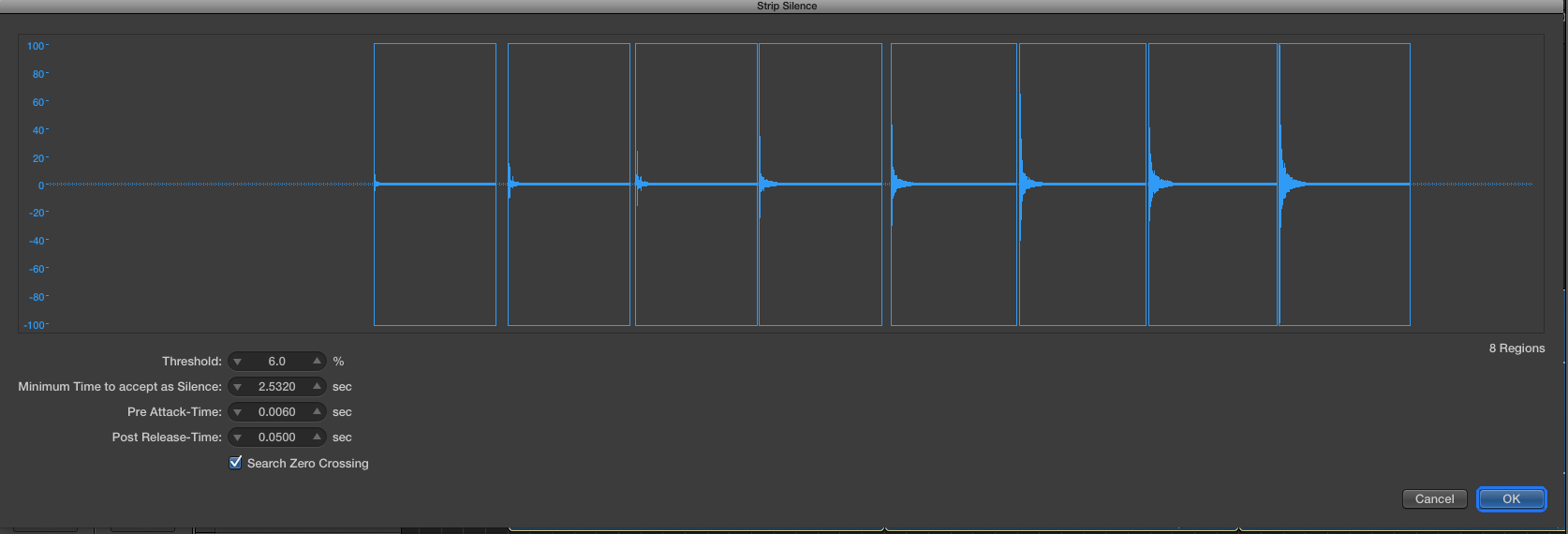
Logic Strip silence
Once each hit was edited and ready to slot into Kontakt, I set up a new instrument and using the mapping editor placed the 6 velocity layers for the first note on it. Spreading them across the 127 potential velocities.
Again this could take a while, but you can quite easily copy and paste one set of 6 velocity samples onto another key on the mapping editor, then re-locate each of the copied samples to the next note in the sequence to save time (I didn't find this out until I'd spent a good few hours on a fairly bumpy flight trying to be precise with my trackpad... Bad idea!)
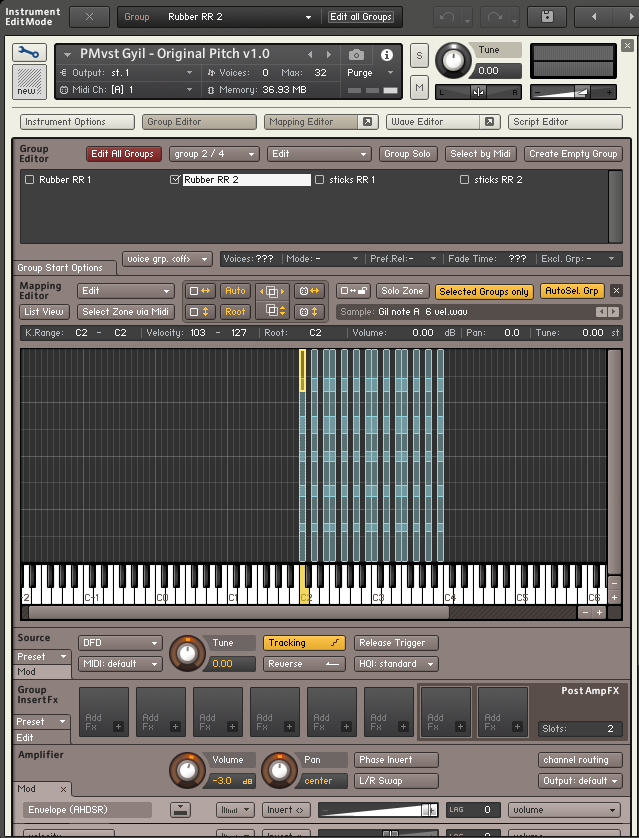
Kontakt 5 Mapping editor
A similar process applies to the second takes (Round Robin takes) this was fairly simple. The mapping editor works in groups, for each round robin you create a new group and set that group to be a certain either the first or second set of round robins. Again copying the already mapped first takes and pasting that into a new group meant I could re-locate the samples within this second group with the second takes.
I did the same thing with the hard wooden end of the beaters and placed those into two new groups. Had a play with photoshop and added the Attack and Release knobs through looking into the inner workings of other Kontakt instruments scripts.
A little messing with key switches and it was prett much there.
So please do have a play with the Gyil and enjoy
African Gil - Recording session
For the past couple of months I've been working on a show called Lionboy with Complicité and we're coming to the end of our run at the Tricycle Theatre. The show had a live percussionist on stage, so this week I've decided to record Steve's (our percussionists) Gil.
The Gil is an African 'tuned' percussion instrument that steve plays in the show for a few of our 'African' scenes. It's not the most common instrument I've ever come across!
The notes are pentatonic and so, as Steve usually suggests, you can play almost any notes and they will likely fit together! Steves instrument was made by his teacher in Africa and has gaudes underneath that amplify the sound. It has a bit of a weird unique buzzing sound on some of the notes and watching people play them on YouTube it's really meant to be part of the overall sound of the Gil. To create the buzzing sound there is a spider egg membrane covering holes in the gaudes which vibrate, strange but true!
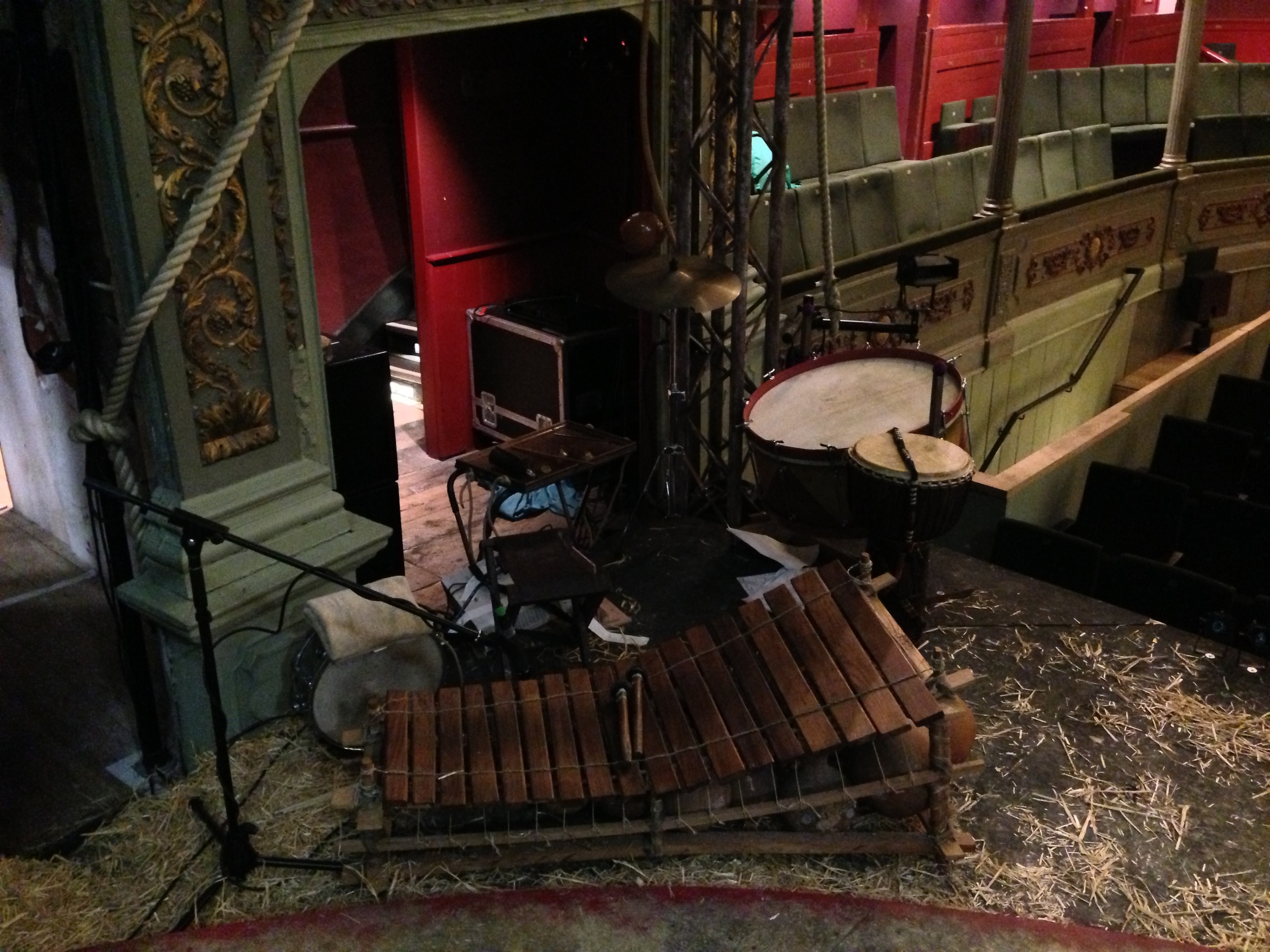
So having decided to record the Gil properly Ive also thought it would be interesting to learn how to make a kontakt instrument using those recordings, so have taken a bunch of different takes at differing dynamics and will have a go soon. I managed to find a few hours without anyone else in the theatre and got recording. Wanted to get some use out of my sound devices 702 and a pretty neat pair of DPA 4011's which we use in the show.
Here's a dry clip of me messing around on the Gil, i'm no percusionist so forgive me!
Now on to editing the single hits and trying to make a virtual instrument from it!